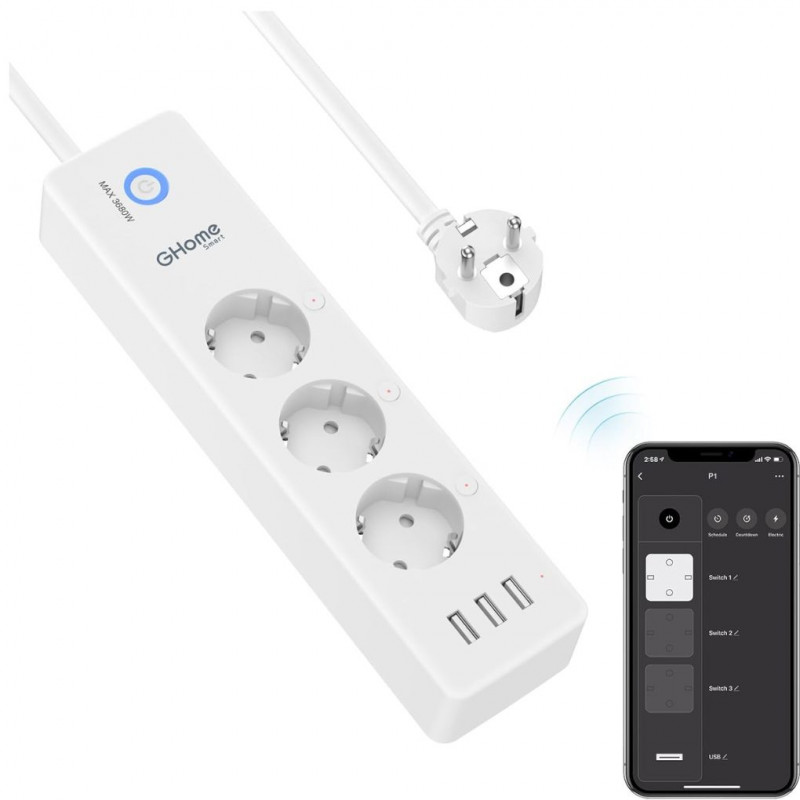
Multifunctional smart power strip, 3 USB charging ports (5 V / 3.1 A) and 3 smart sockets with integrated surge protection. The Alexa sockets work with Alexa/Google Home for voice control. Controls your home appliances by simply giving Alexa or Google Assistant voice commands. Not affected by distance, and reach remote control of your household appliances from anywhere
Schedule and timer: plan the WiFi power strip so that the electronics are automatically switched on and off if necessary. You can create a group for all your smart devices and control them all with just one command. Simply set with the countdown function so that the WiFi power strip turns off its appliance automatically. Each of the plugs can be controlled by the app individual control
Individual control and non-interference. 3 WLAN smart sockets can control independently or together. And 3 USB ports are controlled as one unit. Not only can you turn the electrical appliances connected to the socket on and off individually, but also turn off all electrical devices with one click when you leave or not use the device. 3 USB charging ports can charge almost any USB device (smartphone, tablet, Amazon Kindle, e-reader, etc.)
Surge protection and air circuit breaker. Certified surge protection and air circuit breakers are a guarantee to protect electronics and devices from sudden enormous energy and avoid irreparable damage. High quality super thick 5 foot power cord with flame retardant V0 material and long service life. 15A maximum load. For safety reasons, the intelligent power strip has a physical key to the circuit breaker
Customer Service & Note Our friendly and reliable customer service will reply to you within 24 hours. If there is a problem with power strip within one year, you can tell us
Before connecting your devices, please make sure your 5GHz band is disabled if your router is dual band while using a 2.4GHz Wi-Fi connection. Please do not use WiFi extenders or VPN/proxy servers while setting up the smart device. Also make sure you have entered the correct password of your Wi-Fi router in the app
Pairing Guide:Open the "Gosund" APP and create your Gosund account. Turn on the plug and place it near the router when pairing. Press and hold the ON/OFF button for 5 seconds and release it when the plug starts to flash quickly to enter network pairing mode